Audio

Clear voices, audible program.

The server makes every listener their own mix and dips exactly as much as you set: everything steps back under the director’s voice, and the program fades down by itself when the crew talks.

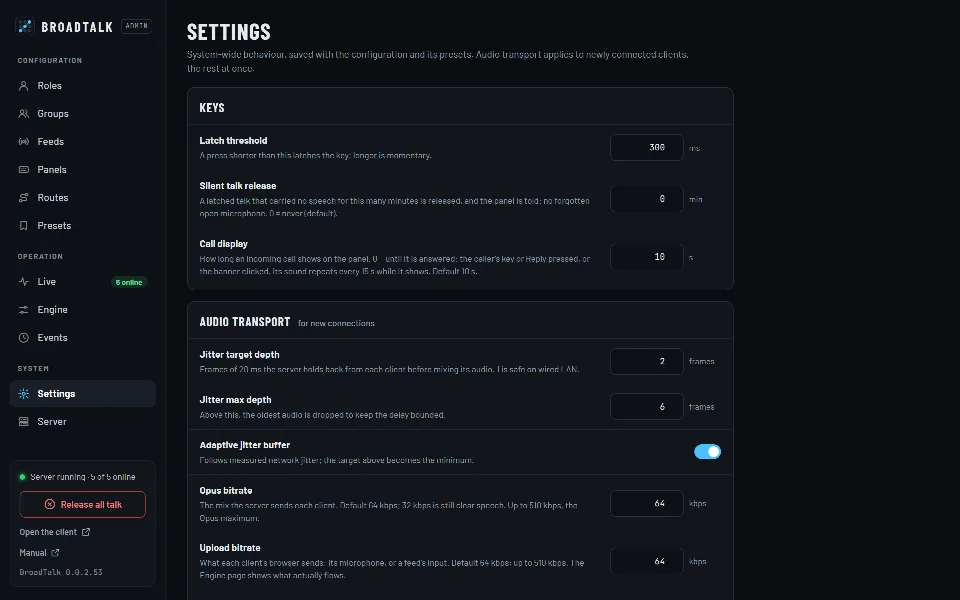
The Settings page: keys and audio transport

Sound familiar?

  • “The program drowns out the director, and everyone shouts.
  • “On WiFi it breaks up, on cable it lags for no reason.
  • “One camera operator’s microphone hums, but we can only adjust the whole system.

01

Ducking: voices first

While someone talks, a “Dim under talk” feed dips by a set amount (24 dB by default), and under a priority talker everything else does (12 dB by default). The dip starts at once, doesn’t pump between words and comes back over half a second.

  • Speech threshold −36 dBFS, adjustable per role
  • 300 ms hold, 500 ms release
  • 0–40 dB in whole decibels
The PGM feed’s level while the director talks: −24 dB at once, a 300 ms hold after the talk ends, then back over 500 ms.

02

Feeds: program audio without a panel

PGM, an AUX or any line input comes in as a feed: a computer’s browser sends it from the /feed/ page, protected by a PIN. Roles listen with a Listen key or on a fixed route; the feed page sets its input gain too.

  • Per feed: whether it dims under talk
  • Upload bitrate up to 510 kbps
  • It only talks, never listens
The admin’s Feeds page with the PGM feed’s settings

03

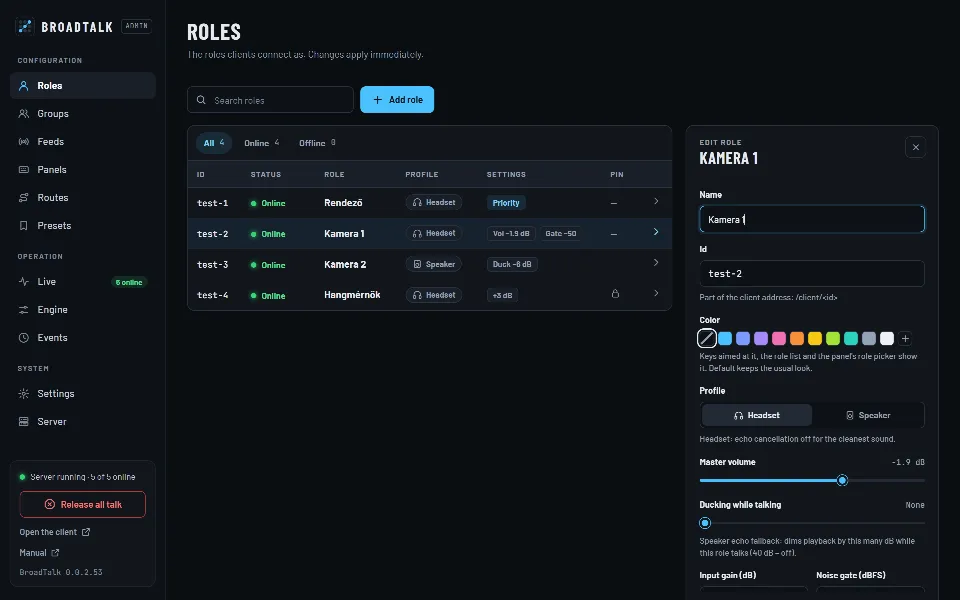
Tuned per role

Every role can have its own input gain, noise gate, speech threshold offset, master volume and release tone. The camera operator in a noisy spot gets a gate, the quiet talker a little gain – nobody else is affected.

  • Input gain −48…+24 dB
  • Noise gate −80…−10 dBFS
  • Release tone: BroadTalk, Beep, Click
A role’s editor: color, profile, volume, ducking, gain and noise gate

04

Transport fitted to your network

The jitter buffer measures each client’s network jitter and follows it: minimal on a quiet LAN, deeper on WiFi. The bitrate is set separately for each direction, and the Engine page shows what actually flows.

  • FEC: a single lost packet is inaudible
  • FEC, PLC and lateness counters per client
  • A limiter per listener against overload
ParameterValue
Jitter target depth
2 frames · 1–10
Jitter max depth
6 frames · ≤ 20
Adaptive jitter buffer
on
Opus bitrate (down)
64 kbps · 6–510
Upload bitrate (up)
64 kbps · 6–510
Opus complexity
5 · 0–10
FEC loss estimate
5%
  • Limiter

    Per listener: instant attack, gradual release, so even what is too loud doesn’t distort.

  • Packet loss

    Opus FEC restores a single lost packet inaudibly, PLC covers several in a row.

  • Release tone

    A roger beep for the listeners when the talker lets go, at the level they heard the talker.

  • Sidetone

    Your own voice in your headphones, locally, without delay.

Step by step

The path from mouth to ear

  1. 1Browser: capture and Opus encoding
  2. 2Network: 20 ms packets
  3. 3Server: jitter buffer, FEC and PLC
  4. 4Gain, gate, speech detection
  5. 5Own mix, ducking, limiter
  6. 6Opus back, playback

A mix of its own for every listener.

The server doesn’t hand out one shared channel: everyone gets exactly what they are listening to, at their own volumes and with their own ducking – and never their own voice.

What you can set

  • Opus bitrate
  • Upload bitrate
  • Jitter buffer
  • Adaptive jitter
  • Gain range
  • Input gain
  • Noise gate
  • Speech threshold
  • Speech offset
  • Priority ducking
  • Feed ducking
  • Ducking while talking
  • Sidetone
  • Release tone

Frequently asked questions

What bitrate do I need?

Speech is clear at 32 kbps; the 64 kbps default suits program audio too. As the server sends mono, above about 128 kbps there is no audible gain, only more bandwidth (at 256 kbps, 32 clients take about 8 Mbit/s).

Can latency be lower on a wired network?

Yes: on a wired LAN the jitter buffer’s target depth can be 1 frame, which is 20 ms faster. On WiFi or the internet 2–3 frames and the adaptive mode are the safe choice.

What is the difference between priority and feed ducking?

Priority ducking dims everything else while a priority role (the director, say) is audibly talking. Feed ducking dims only “Dim under talk” feeds, under anyone’s speech. The two add up.

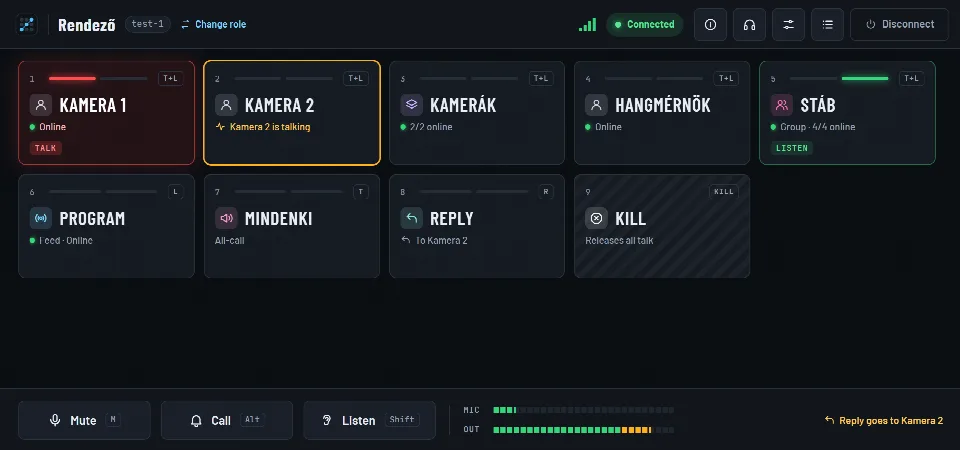
  • The panel

    Talk on a tap or while held, listen, tally, call, Reply and Kill – on big, legible keys, on a phone too.

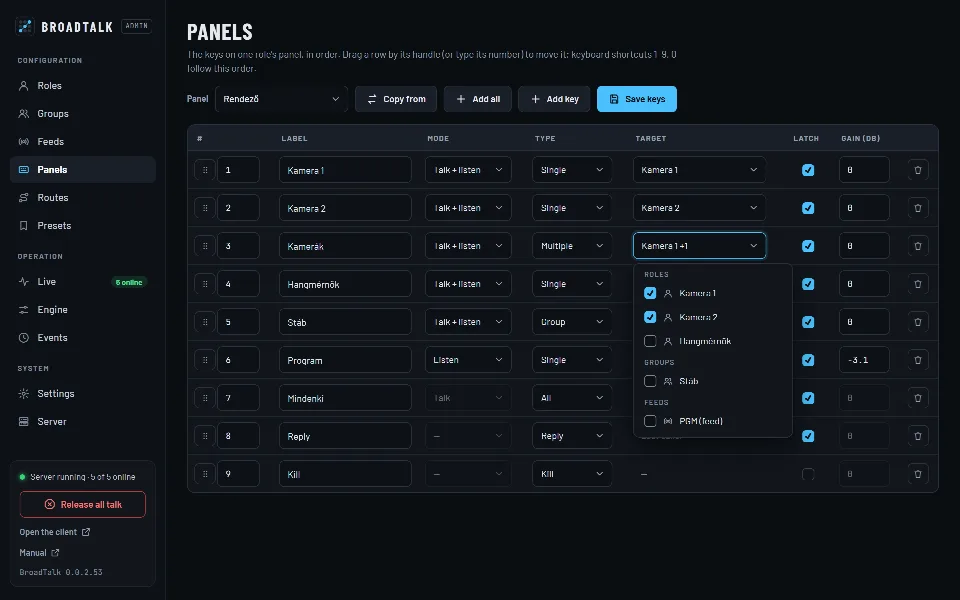
  • Setup and monitoring

    Roles, groups, keys, fixed routes and presets in a password-protected admin. Every change applies at once.

A headset on a microphone stand in the studio at night

Contact

Let’s talk.

Questions, a demo, or a trial in your own studio? Write or call, and we’ll show you how BroadTalk fits the way you work.