Installation and network

One setup. After that, everything in the admin.

The wizard asks for everything the server needs – password, ports, internet name – and opens the firewall. Later everything changes on the admin’s Server page, with a restart button. Nobody has to edit a configuration file.

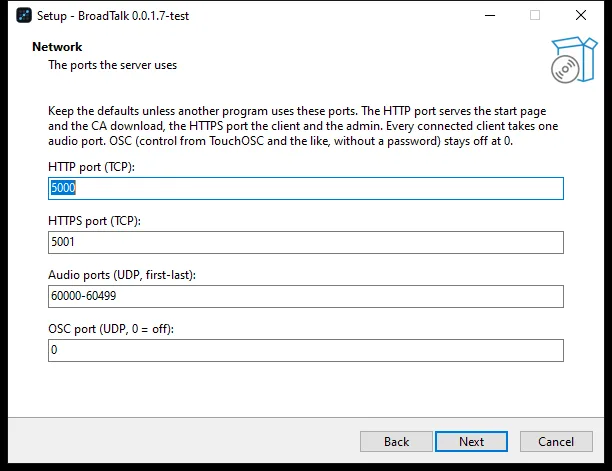
The setup’s network step with the ports

Sound familiar?

  • “Because of the certificate the browser won’t allow the microphone.
  • “People need to join from outside, but a VPN is a hassle.
  • “Every update takes a whole afternoon.

01

A wizard that asks for everything

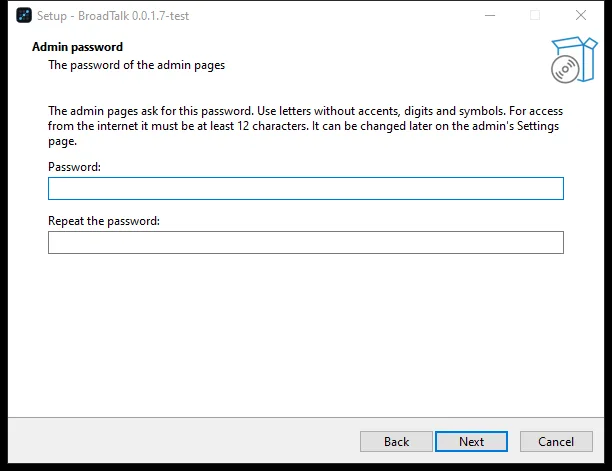
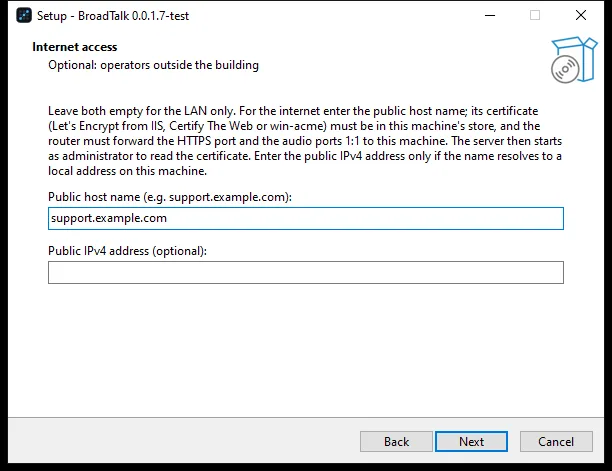
Admin password, HTTP, HTTPS, audio and OSC ports, internet name and address, a shared certificate authority: the setup walks you through, opens the firewall and puts a shortcut on the desktop. The same setup updates too, leaving no orphan files.

  • Program: C:\Program Files\BroadTalk
  • Data: C:\ProgramData\BroadTalk
  • Start menu and uninstaller
The setup’s password step
The setup’s internet step

02

Server settings in the admin

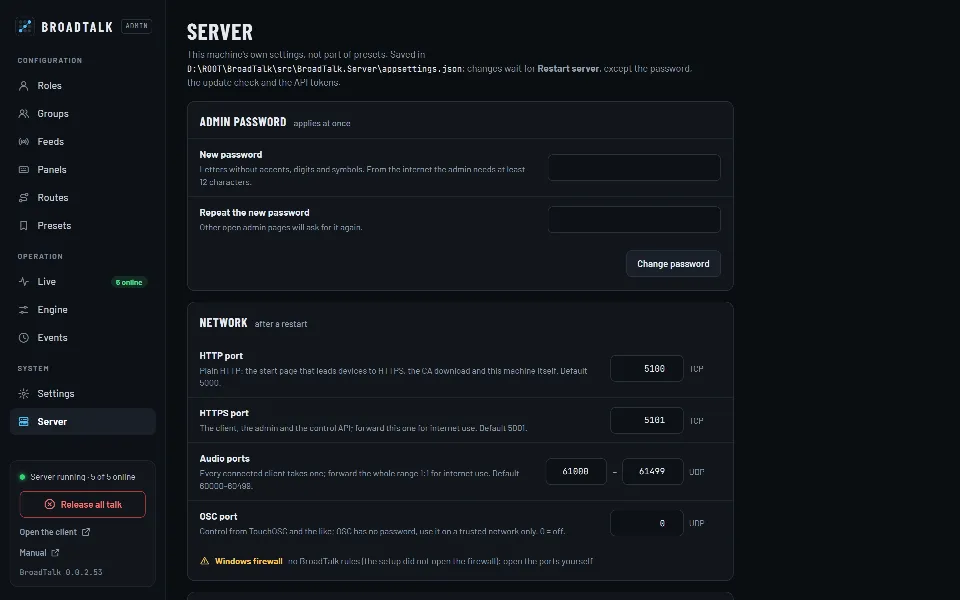
Password, ports, internet, certificate, update checks and API tokens on the Server page. A bar shows what needs a restart; Restart server restarts it, and the panels reconnect by themselves.

  • Firewall rule status
  • Certificate with expiry, CA download
  • New version notice
The Server page: password, network and certificate

03

Internet without STUN or TURN

With a public name, colleagues outside can join: forward one TCP port and one UDP range on the router. The server takes the name’s certificate (Let’s Encrypt, for example) from the machine store and checks it again every hour.

  • From outside, only roles with a PIN
  • Admin: a password of 12+ characters
  • Internet connections in the log
TCP 5001HTTPS: panel, admin, API
UDP 60000–60499Audio (RTP), forwarded 1:1
TCP 5000HTTP: start page and CA download
UDP · OSCOff by default; local network only
The server’s ports with their defaults; for the internet, forward the first two.

04

HTTPS with its own certificate authority

Browsers allow the microphone only on a secure connection. Every installation creates its own BroadTalk CA; the start page checks HTTPS and, when needed, shows how to install the CA step by step.

  • Once per device
  • Several servers, one CA
  • A company certificate works too
The start page for installing the certificate
  • One-click update

    BroadTalk-Update.cmd stops, updates and restarts the server; you only answer the Windows administrator prompt.

  • Your data stays

    Settings, presets, logs and certificates live in their own folder; updates leave them alone.

  • Every failure leaves a trace

    Every console line also goes to a daily log, a crash to its own file; the server starts even with a broken configuration.

  • Knows when there’s news

    Every six hours the server checks broadtalk.hu, and the admin shows a new version.

Step by step

From setup to the first word

  1. 1Setup on the server
  2. 2Password, ports, internet
  3. 3CA on the clients
  4. 4Roles in the admin
  5. 5Panel in the browser

Nobody edits a configuration file.

What the setup asked, the admin’s Server page changes later, restart included. The server tells you what is missing: administrator rights, the internet certificate, the public audio address or a firewall rule.

What the setup includes

  • Windows setup
  • Built-in runtime
  • Firewall rules
  • BroadTalk CA
  • Let’s Encrypt support
  • Desktop shortcut
  • Stream Deck plugin
  • Uninstaller
  • One-click update

Frequently asked questions

Must the server run as administrator?

Not on a local network. For internet use, yes, because only then can it reach the key of the public name’s certificate; the setup then makes its shortcuts run as administrator.

How do I update?

Run the new setup with the server stopped, or double-click BroadTalk-Update.cmd kept on the server machine, which stops, updates and restarts the server. Either way your settings stay.

Can several servers share the same clients?

Yes. One server’s CA can be imported into the others (during setup or on the admin’s Server page), so clients accept all of them with a single CA installed.

  • External control

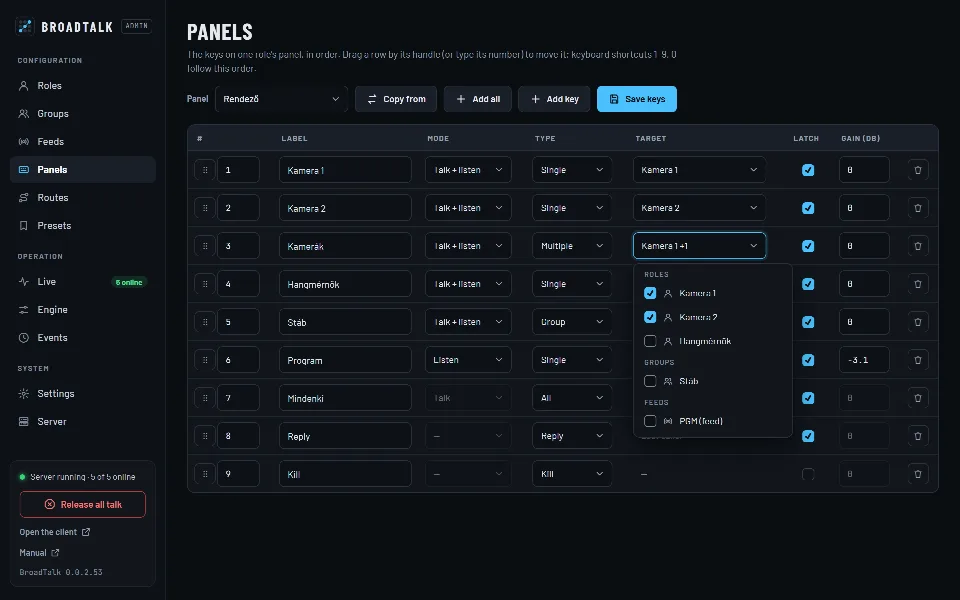
    A Stream Deck plugin, an HTTP API with tokens and OSC: press keys, mute, call, load presets, set ON AIR.

  • Setup and monitoring

    Roles, groups, keys, fixed routes and presets in a password-protected admin. Every change applies at once.

A headset on a microphone stand in the studio at night

Contact

Let’s talk.

Questions, a demo, or a trial in your own studio? Write or call, and we’ll show you how BroadTalk fits the way you work.